
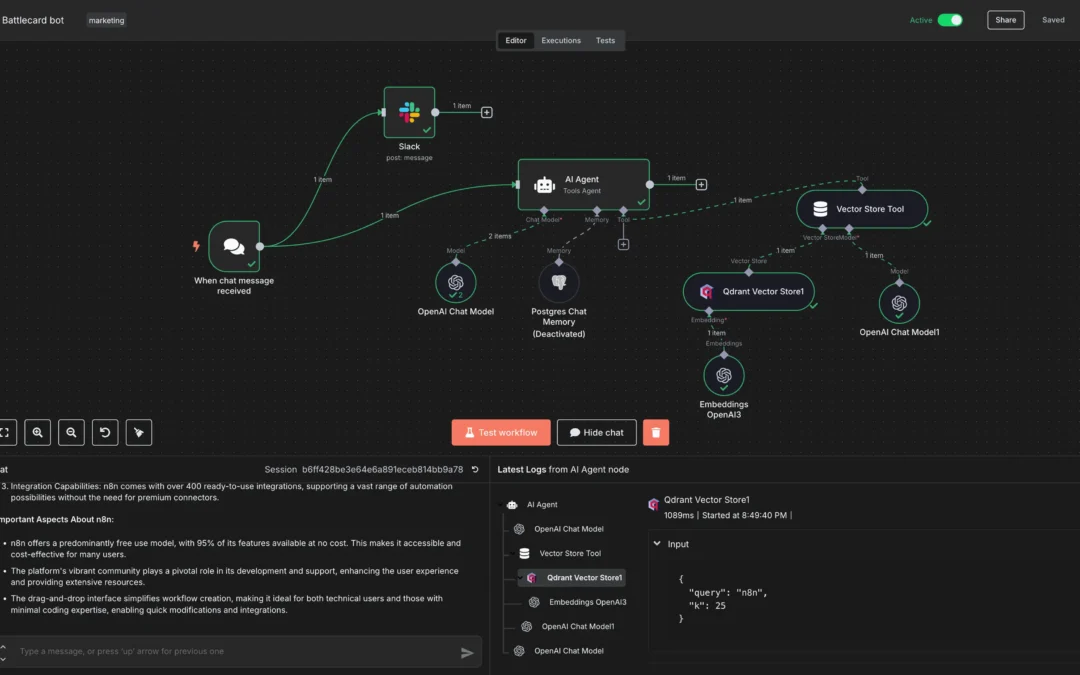
If the most you have done with tech tools so far is type a question into ChatGPT, this guide is for you. n8n (you say it “n-eight-n”) is a tool that does repetitive computer tasks for you automatically, without you doing them by hand, and without writing any code.
No jargon, I promise. By the end of this you will know what n8n is, what it is for, a real example from the world of recruitment, and how to try it for free.
What is automation?
Automation means getting a computer to do a repetitive task for you, on its own, so you do not have to. You have probably used a bit of automation already without thinking about it, like an “out of office” reply that sends itself, or a rule that files newsletters into a folder.
The idea is always the same: when this happens, do that, over and over, without you lifting a finger. n8n is a tool for setting up exactly these kinds of tasks yourself.
What is n8n?
n8n is a free workflow automation tool that lets you connect the apps and services you already use, such as Gmail, a spreadsheet, Slack or a contact form, so they pass information between each other automatically.
The useful part is that you build it visually. You click and connect boxes on a screen, a bit like drawing a flowchart, so you do not need to know how to write code. If you can follow a recipe, you can build a simple n8n automation.
How an n8n workflow runs
Think of an n8n automation like a row of dominoes. You set them up once, tip the first one, and the rest fall on their own.
In n8n that row is called a workflow, and it is just a series of steps. The first step is the trigger, the thing that kicks everything off, for example “someone filled in my form”. Each step after that does one small job and passes its result to the next step.
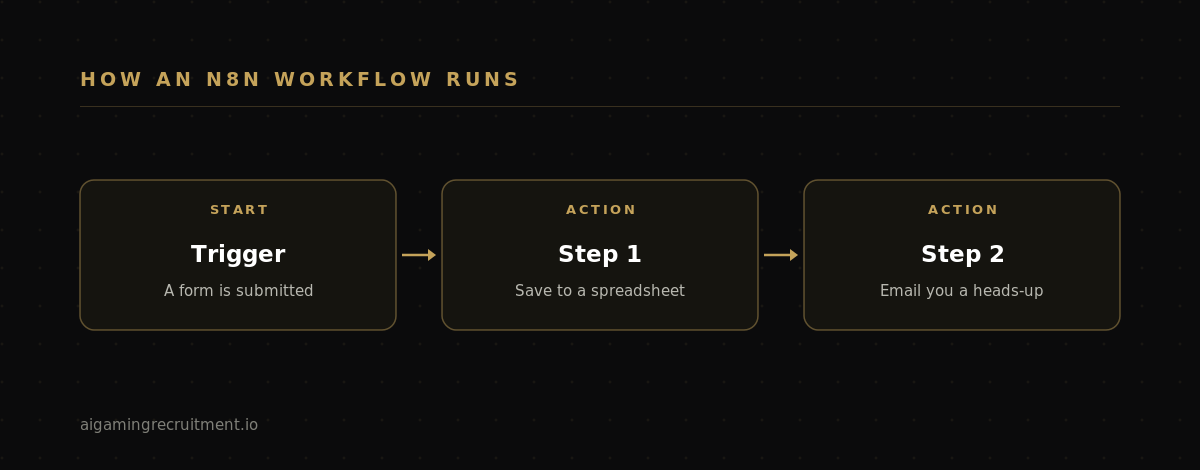
Each step is shown as a box (n8n calls these boxes “nodes”), and you join the boxes with lines to set the order. That is the whole core idea: boxes joined in order, running one after another.
A simple example
Let us make it concrete. Imagine you want this to happen automatically: every time someone fills in the contact form on your website, save their details to a spreadsheet and email yourself a heads-up.
In n8n you would build that with three boxes joined by two lines:
- The trigger: a new form submission comes in.
- Step one: add the person’s name and email to a Google Sheet.
- Step two: send yourself an email that says “New enquiry from [name]”.
Once you switch it on, it runs every time someone submits the form, with no input from you. Before, you would have copied and pasted those details by hand. You set it up once, and it keeps doing it for you.
A real use case: recruitment and iGaming
Here is where it gets interesting if you work in hiring, agency recruitment or run a team in iGaming. Recruitment is full of small, repetitive admin jobs that eat your day, and most of them are exactly what n8n is built for.
Take a common one. Every time a candidate applies, someone has to log them somewhere, let the team know, and reply so the candidate is not left in silence. Done by hand for every applicant, that is hours a week. With n8n it looks like this:
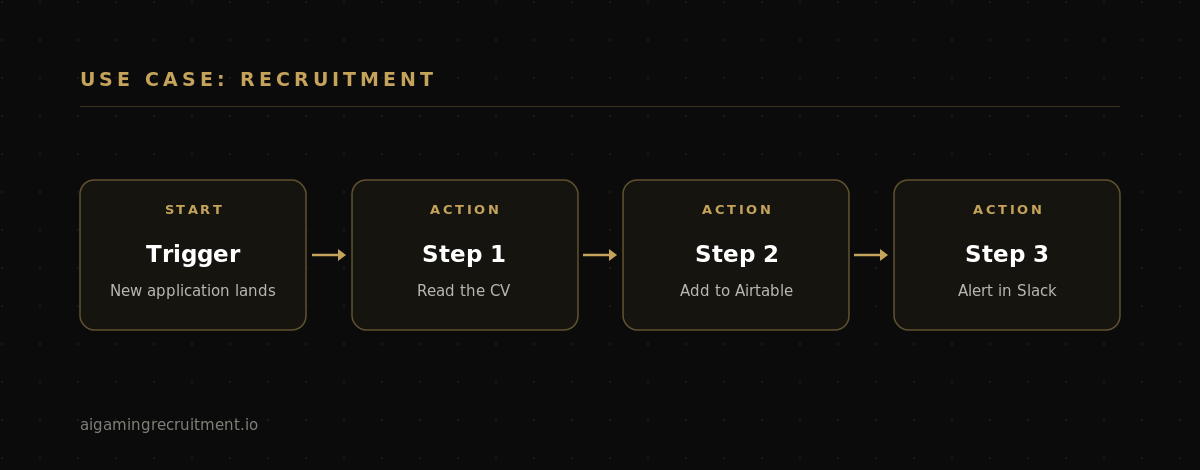
- The trigger: a new application lands, from your careers page, an inbox, or a job board.
- Step one: n8n reads the CV and pulls out the key details, name, email, location and current role.
- Step two: it adds the candidate as a new row in your tracker, for example an Airtable base or a Google Sheet.
- Step three: it posts a quick alert in your Slack channel so the team sees the applicant straight away.
You could add a fourth step that sends the candidate a friendly acknowledgement email, so nobody is left wondering if their application arrived. The whole chain runs in seconds, every time, while you get on with actually speaking to people. That is the real promise of n8n: it does not replace the human part of recruitment, it clears away the admin around it.
What else do people use n8n for?
All sorts of repetitive digital chores, for example:
- Sorting and tidying incoming emails automatically.
- Keeping two apps in sync, so adding something in one place makes it appear in another.
- Sending reminders or notifications when something happens.
- Collecting information from a form and organising it neatly.
The rule of thumb: if you find yourself doing the same fiddly task on a computer over and over, there is a good chance you can hand it to n8n instead.
Is n8n really free? (the honest version)
Mostly yes, with one thing worth understanding up front, because a lot of older guides get this wrong.
n8n is free to run yourself. The software is “fair-code” licensed, which for a beginner basically means free to use, and you can install the Community Edition on your own computer or server at no cost, with unlimited runs. The catch is that installing it takes a little setup.
n8n also offers n8n Cloud, the hosted version with nothing to install. This is the easiest way to start. The Cloud free plan has been discontinued, so what you get now is a 14-day free trial with no card required, after which paid plans start at around $20 per month billed annually, or $24 month to month. That is plenty of time to learn the basics and decide if it is for you.
So if you just want to try it with zero hassle, use the free trial. If you want a permanently free option and do not mind a bit of setup, self-host the Community Edition.
How to try n8n (the easy way)
- Go to n8n.io and start the free 14-day Cloud trial. Nothing to install, no card needed.
- Open one of the ready-made templates (there are hundreds) just to see how a finished automation is put together.
- Build one tiny thing of your own. Keep it small, one trigger and one action. The first time it runs on its own, it clicks.
If you want to go a step further, n8n runs a free online course that walks you through it properly, and you can even come away certified. It is genuinely beginner-friendly and the best next move once you have had a first play.
The biggest beginner mistake is trying to build something clever on day one. Do not. Start with the smallest useful thing, get the satisfying moment of seeing it work, and grow from there.
FAQ
Do I need to know how to code to use n8n?
No. You build automations visually by connecting boxes on a screen, so coding is not needed to get started. Coding can help with more advanced workflows later, but it is optional.
Is n8n free?
It can be. n8n is free to self-host through its Community Edition, with unlimited runs, though installing it takes some setup. The hosted n8n Cloud version no longer has a permanent free plan, but it does offer a 14-day free trial with no card required, before paid plans begin at around $20 per month.
Can n8n help with recruitment admin?
Yes. A common setup reads a new application, adds the candidate to a tracker like Airtable, alerts your team in Slack, and sends the candidate an acknowledgement, all automatically. It removes the repetitive admin around hiring without touching the human side.
What can I connect n8n to?
Hundreds of popular apps, including Gmail, Google Sheets, Airtable and Slack, plus almost anything else that offers an integration. If two tools can talk to each other, n8n can usually sit in the middle and pass information between them.
What is the difference between n8n and Zapier?
Both let non-coders connect apps and automate tasks. The main difference is that n8n can be self-hosted for free and tends to be cheaper at scale, while Zapier is cloud-only and charges per task. n8n gives you more control, Zapier is slightly more polished out of the box.
In short
n8n is one of the most useful tools a non-coder can pick up. It handles your repetitive digital tasks so you do not have to, whether that is tidying emails or running your whole new-applicant process. Start with one small automation on the free trial, watch it run on its own, and you will quickly spot a dozen other things it could do for you.
In upcoming guides we will look at other AI and automation tools one at a time, and later, how to start joining them together.